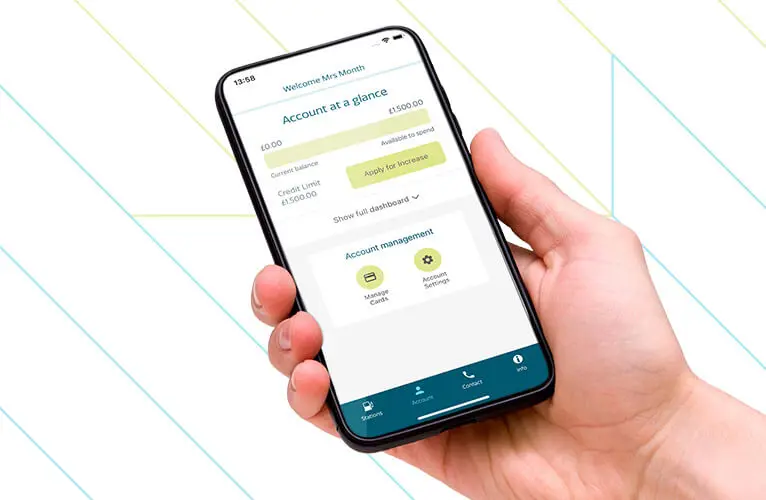
The run-up to Christmas is one of the busiest times of year for many businesses with extra jobs, seasonal staff and journeys squeezed around the bank holidays. A few minutes in the fuelGenie app now can save you a headache in January.
The app is free to download for iPhone and Android, and it's well rated on both: 4.7 stars from more than 2,000 ratings on the App Store and 4.4 stars on Google Play (November 2026). Here are five things worth opening the app for before the break.
1. Check your next Direct Debit and invoice dates
December fuel bills can be bigger than usual, and they often land in January, when other bills are due too. The app shows:
- your next invoice date and your last one
- the amount of your next Direct Debit
- your available spend
- your current and past invoices
Check these now so you know exactly what's leaving the account and when. Make sure there's enough in the bank to cover it. Your invoices are HMRC-approved, so keep them handy for your year-end accounts.
If December is your busiest month, you can also apply for a credit limit increase in the app.
For more ways to keep money moving over the holidays, read how to improve cash flow before Christmas.
2. Set spend limits for seasonal drivers
If you're taking on temporary drivers for the Christmas rush, set up their cards before they start. In the app you can see every cardholder and change:
- Limit spends so each card matches the work that specific driver is doing.
- Check the purchase options, for example by restricting a card to fuel only. That keeps spending clear and avoids awkward conversations later.
These controls are worth checking for your regular drivers too. December's extra journeys can quickly push up spending.
3. Order or cancel cards for starters and leavers
Order cards for new starters in the app and give yourself time for them to arrive before the holidays. If someone has left or a seasonal contract is ending, cancel their card straight away rather than waiting until January.
You can also:
- edit card details, such as the driver's name or the vehicle registration on the card
- get a replacement issued if a card is lost or damaged
- see a record of cancelled cards so you know which cards have been active and which haven't.
4. Plan fuel stops around the bank holidays
Many forecourts open late, close early or shut completely over Christmas. This year's bank holidays are Friday 25 December, Monday 28 December and Friday 1 January, plus Monday 4 January in Scotland.
Before a long trip, use the app to:
- find stations along your route that accept your card
- check each forecourt's opening times and facilities
- get directions to the station you choose.
The fuelGenie card works at 1,350+ supermarket forecourts. fuelGenie+ works at 2,300+, including most Shell and Welcome Break sites.
Driving further afield this winter? Read our winter driving guide.
5. Compare fuel prices before you fill up
Prices can vary a lot between forecourts, even when they’re only a few miles apart. The app shows prices at nearby stations, including Tesco, Morrisons and Sainsbury's, so you can choose where to fill up before a long festive journey.
Get the app
If you haven't got the app yet, search for ‘fuelGenie’ on the App Store or Google Play and sign in with your account details. To find out more about what it does, see the fuelGenie app or follow our step-by-step guides – Account management on the go